
MenuContact Us
Navisworks is a project review and coordination software developed by Autodesk. It is a powerful tool used in construction and architectural projects to bring together 3D models from different disciplines for collaboration and clash detection.
Navisworks is used to simplify project coordination and identify clashes in advance, helping construction teams improve efficiency and reduce errors during the project lifecycle.
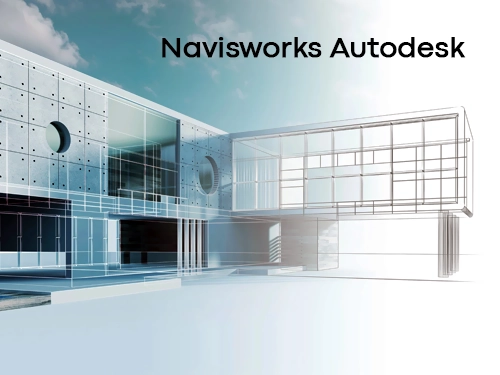
Navisworks offers a variety of functions for construction projects. Here are its main features:
Navisworks has a wide range of applications in construction projects:
Project Coordination: Navisworks improves project coordination by bringing together 3D models from different disciplines. Architects, engineers, and construction teams can collaborate through Navisworks.
Clash Detection and Resolution: Navisworks is a powerful tool for clash detection. It identifies conflicts between different systems in construction projects before construction begins, helping create a smoother workflow.
Construction Management and Planning: With 4D and 5D simulations, Navisworks supports time and cost management in construction projects. This enables more effective planning and project management.
Navisworks is a powerful software solution for project review, clash detection, and coordination in construction projects. By combining 3D models from different disciplines, it enhances collaboration and coordination. Navisworks is an effective tool for creating smoother workflows and more efficient project management in construction projects.
Yes, interdisciplinary clash detection can be performed using Navisworks. In construction and architectural projects, clashes may occur when different disciplines come together.
Navisworks allows users to combine and review 3D models from different disciplines. This enables architectural, structural, mechanical, electrical, and plumbing models to be integrated on the same platform. Navisworks performs clash detection between these models to identify errors and conflicts in advance.
Navisworks provides advanced tools for clash detection. Here are some key features of interdisciplinary clash control with Navisworks:
Clash Tests: Navisworks performs clash tests to detect conflicts between different disciplines. For example, it can check whether a pipeline intersects with a wall.
Visual Review: Navisworks has the ability to display models in 3D. This makes it easier to visually inspect clashes and identify potential issues.
Resolution Suggestions: Navisworks provides suggestions for resolving detected clashes. This helps teams make necessary corrections during the construction process.
Navisworks combines 3D models from different disciplines, performs clash tests, and identifies errors before construction begins. This reduces conflicts and mistakes during the construction process, allowing projects to progress more efficiently and in better coordination
Maviperi Architecture Office